
Free Shipping Above $50

How to remove and install watch strap connect

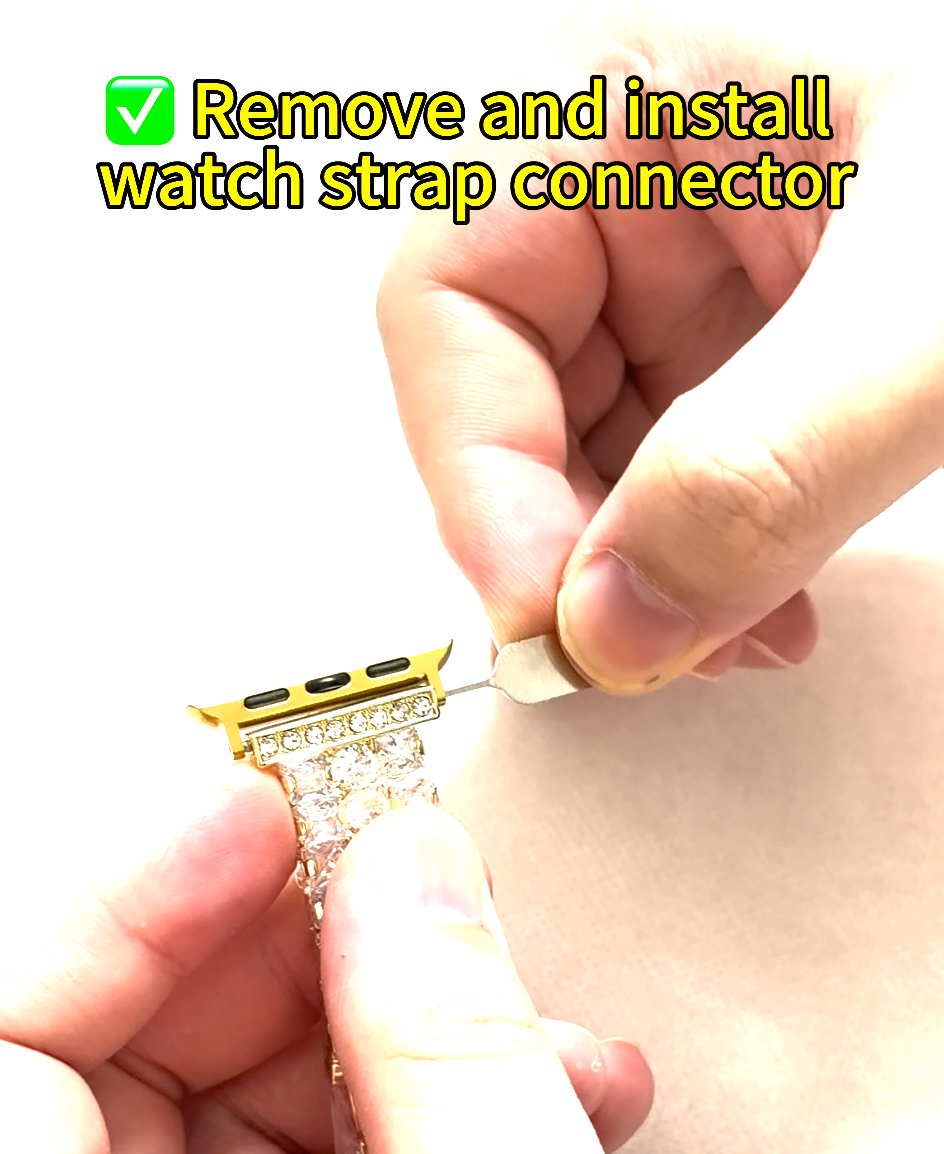
Please watch it and follow the instructions to install it yourself so you can use it normally.


1. Remove the plastic protective film.
2. Insert the pin of the connector into the small hole at the end of the watch strap.
3. Align one of the small holes on the connector with the corresponding hole on the watch strap.
4. Use your fingernail to hold down the locking pin on the other side, then align the other end of the connector with the corresponding locking pin.
Latest Guides

View all

How to remove and install watch strap connect

How to remove and install watch strap connect

Please watch it and follow the instructions to install it yourself so you can use it normally. Your browser does not support the video tag. 1. Remove the plastic protective film.2. Insert the pin of the connector into the small...

Read more

How to Set Apple Watch for Left or Right Wrist | GIVELLY

How to Set Apple Watch for Left or Right Wrist | GIVELLY

Getting a new Apple Watch is exciting. But before you start exploring watch faces, notifications, fitness features, or styling it with your favorite band, there’s one simple setting you may want to check first: Which wrist do you wear your...

Read more

How to Adjust Your Givelly Apple Watch Band at Home

How to Adjust Your Givelly Apple Watch Band at Home

Switch Up Your Style in Seconds. ✨ Changing your band is quick and easy. Follow the simple steps in the video below to securely remove and install your GIVELLY band in just a few moments. ✨ Here is your simple,...

Read more